
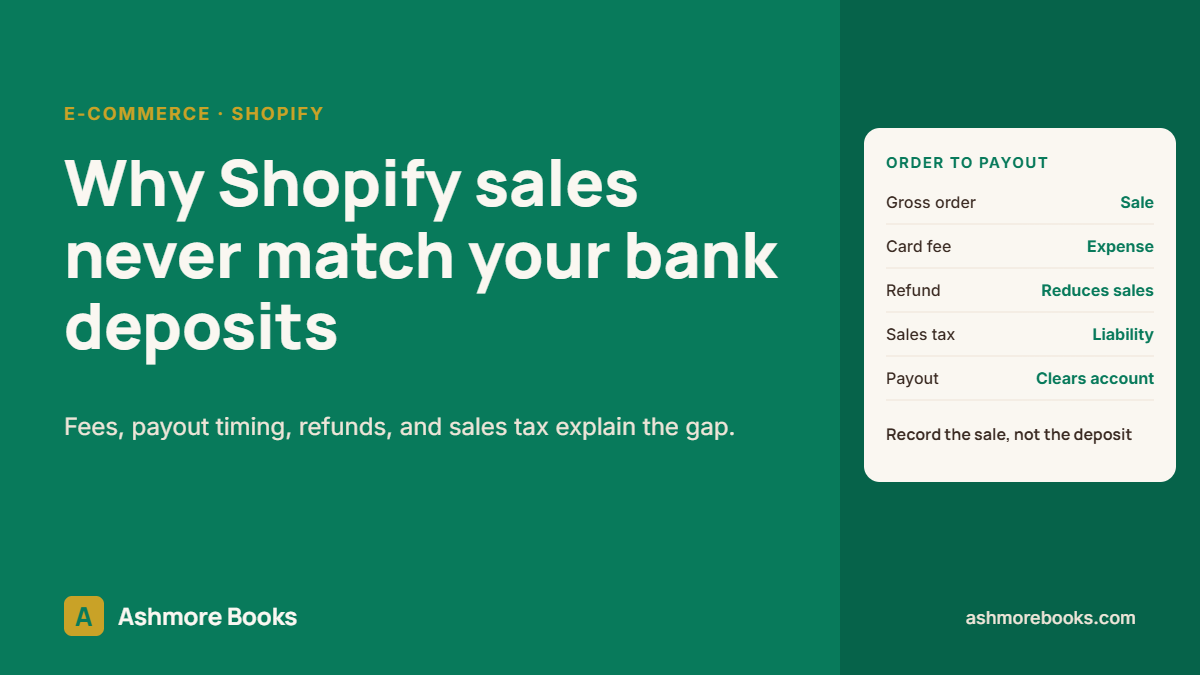
Add up last month’s Shopify deposits and compare them to the Shopify sales report, and the two will almost never match. That part is normal. What is not normal is a set of books that records the deposits as sales, because then revenue, fees, sales tax, and refunds are all wrong at the same time. Here is why the numbers differ and how the books should handle them.
In Your books show net payouts, we looked at what a set of books loses when it records deposits instead of sales. This article takes the most common case, Shopify, and shows exactly where the gap between sales and deposits comes from.
The short answer
A Shopify payout is not a sale. It is what is left of several days of orders after Shopify takes its fees, deducts refunds and chargebacks, and applies any holds or adjustments. Sales should be recorded at the gross order amount, with fees, refunds, and sales tax recorded on their own lines, and the payout should clear a holding account back to zero.
Seven reasons the deposit never matches the sale
- Fees are taken out first. Shopify Payments deducts its card fee before paying out, so a $100 order might land as roughly $97. The $3 is a processing expense, not missing revenue.
- Payouts lag the orders. Orders from the last few days of a month are paid out in the next month, so a calendar month of deposits covers a different set of orders than the sales report.
- Refunds and chargebacks are netted. A refund issued today comes out of today’s payout, even when the original sale was last month. Chargebacks usually carry a separate dispute fee as well.
- Sales tax sits inside the order total. Tax collected from customers belongs to the state. Booked as income, it overstates revenue and makes the sales tax you owe disappear from the Balance Sheet.
- Not every order runs through Shopify Payments. PayPal, Shop Pay Installments, Klarna, Afterpay, and manual payment methods settle to different accounts on different schedules.
- Gift cards are paid for before they are earned. Money received for a gift card is a liability until the card is redeemed, not a sale on the day it is bought.
- Holds and adjustments. New or fast-growing stores can have part of a payout held back, and occasional adjustments change the amount that reaches the bank.
What goes wrong when deposits are booked as sales
- Revenue is understated by every fee, and the Profit and Loss hides what the store really spends on processing.
- Sales tax collected lands in income, so it can end up taxed as revenue on the return while the real liability goes untracked.
- Refunds disappear into a smaller deposit, so return rates cannot be measured.
- The Form 1099-K shows a bigger number than the books. Payment processors report gross volume, which can include sales tax, shipping, and orders later refunded. See why a 1099-K can show more than you received.
- Month-end cash never ties, so someone eventually forces it with an adjustment nobody can explain later.
How the books should record it: the clearing account method
- Create a clearing account for each payment channel, for example Shopify Payments Clearing and PayPal Clearing. Each is a current asset that holds money you have earned but have not yet been paid.
- Record sales at gross from Shopify’s own reports, daily or per payout: product sales, shipping charged, discounts, sales tax collected (to a sales tax liability), gift card sales (to a liability), and refunds.
- Record fees as an expense from the payout detail, out of the same clearing account.
- Match the bank deposit to the clearing account, not to income. When the payout lands, it simply moves money from clearing into the bank.
- Check that each clearing account comes back to zero, apart from payouts still in transit at month end. A clearing balance that keeps growing is the signal that something is being missed.
Connector apps such as A2X can post these summaries automatically from Shopify’s payout data. They save real time at higher order volume, but they still need correct account mapping and a monthly review. A connector that is mapped wrong posts the same mistake every single day.
Check your own books in 15 minutes
- Pull the Shopify finance summary for last month and note gross sales, discounts, shipping, taxes, and refunds.
- Open the Profit and Loss for the same month. Is income closer to gross sales or to total deposits?
- Look for a sales tax liability on the Balance Sheet. If you collect sales tax and the balance is zero, the tax is probably sitting in income.
- Look for a merchant or processing fee line on the Profit and Loss. If it is missing or tiny, fees are being netted out of revenue.
- If you received a 1099-K, compare it to the income on last year’s return. A large gap nobody can explain is worth fixing before the next filing.
When it is time for help
If the store has run for a year or more with deposits booked as sales, the fix is a cleanup rather than a monthly tweak. Past payouts are rebuilt from Shopify’s own data, clearing accounts are set up, and sales tax is moved out of income. That is the work behind our e-commerce accounting and QuickBooks cleanup services. Not sure how far off your file is? Request a free Books X-Ray. The file is reviewed read-only and you get written findings and a fixed quote.
Amazon works the same way, with many more lines in each payout. That is covered next in how to record Amazon settlement reports in QuickBooks Online.
Frequently asked questions
Why is my Shopify payout less than my sales?
Shopify deducts processing fees, refunds, chargebacks, and any holds before paying out, and payouts lag orders by a few days. The payout is what is left after all of that, which is why it should never be recorded as the sales figure itself.
Should I record Shopify sales at gross or net?
At gross. Record the full order value, including shipping charged, then record fees as an expense, sales tax as a liability, and refunds separately. Recording net payouts understates revenue and expenses and hides the sales tax you owe.
What is a Shopify clearing account?
A current asset account that holds money Shopify owes you between the sale and the payout. Sales and fees post to it, and the bank deposit clears it. At month end it should hold only the payouts still in transit.
Why does my 1099-K not match my Shopify income?
A 1099-K reports gross payment volume, which can include sales tax, shipping, and orders later refunded. The books should reconcile that gross figure to the income on the return, so the difference can be explained if the IRS asks.
Do I need A2X to fix this?
Not necessarily. A2X and similar apps automate the summary entries, which helps at higher order volume. The method is what matters: gross sales, fees as expenses, sales tax as a liability, and a clearing account that returns to zero.
E-commerce books and tax series
Read more about e-commerce bookkeeping and tax
- Your Books Show Net Payouts. Here Is What You Are Missing.
- Why Shopify Sales Never Match Your Bank Deposits (and How the Books Should Record Them) (you are reading this)
- How to Record Amazon Settlement Reports in QuickBooks Online
- Amazon FBA Sales Tax Nexus: What Inventory in Amazon Warehouses Means for You
- 7 Bookkeeping Mistakes That Make Online Sellers Overpay Tax
- Profitable on Paper, Broke in the Bank: The E-commerce Cash Flow Trap
- Which Products Actually Make Money? Product Profitability for E-commerce Brands
Selling online and want the books done this way? See e-commerce accounting and tax.